MAKE IT YOURS
Superior MultiTransmitter IO (4X4) Fibra.
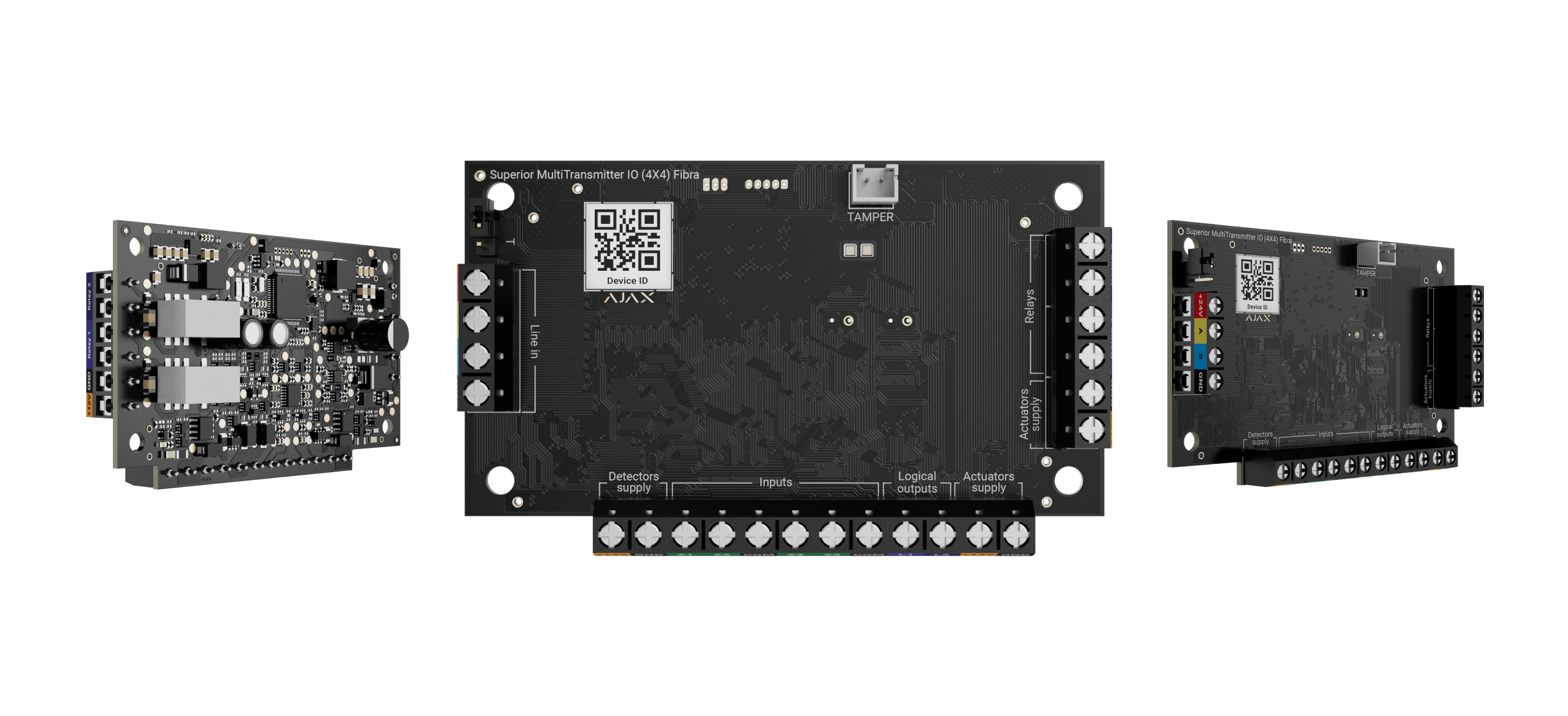
Wired integration module with four inputs, two relays and two logic outputs
Standards and certifications
Superior MultiTransmitter IO (4X4) Fibra · MTR.IO.F. Manufacturer-listed marks; regional and installation conditions apply.
Read the inputs. Control the response.
Superior MultiTransmitter IO (4X4) Fibra combines four inputs, two dry-contact relays and two logic outputs on one compact board. It connects wired detectors, locks and blocking elements to a compatible Ajax hub, supporting both event reporting and controlled actions. Its Fibra connection supplies power and data; the complete load and door-locking sequence are planned in Ajax PRO.
Key features. At a glance.
4 inputs
for connecting third-party devices
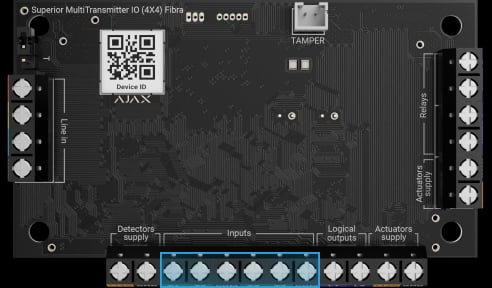
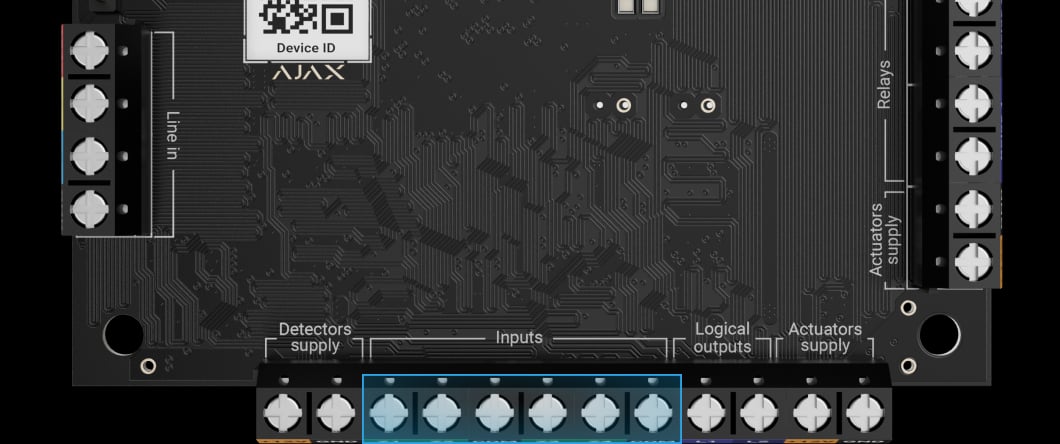
4 outputs (2 logical and 2 relay outputs)
for controlling power supply to connected devices
All connection types supported
NO, NC, EOL, 2EOL, and 3EOL
Easy integration of door-locking systems
on the unavoidability principle

Two operating modes of inputs and outputs
for pulse and bistable devices

Numerous event types
for connected devices

Intrusion

Panic button

Fire
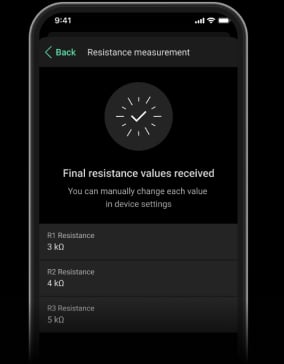
Time-efficient installation
thanks to automatic EOL resistance measuring
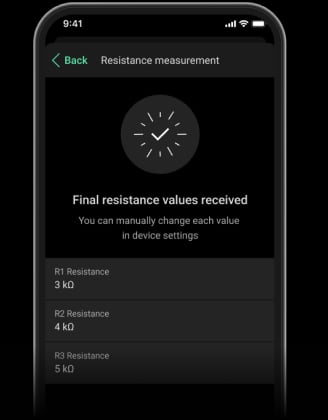


Instant detection of wired connection loss
for EOL-connected devices



Power adjustment
Up to 2,000 m1
of communication range with an Ajax hub or a module that extends the Fibra line


Up to 400 m2
of a wired connection between devices and the integration module

Remote control and configuration
Informative push notifications

Installation in an Ajax casing3
Case A (106), Case B (175), and Case D (430)
- 1With U/UTP cat.5, 4 × 2 × 0.51 mm (24 AWG) cable. Other cable types may have different values. Please use our Fibra power supply calculator to check the wired system project before installation.
- 2Up to 400 m for EOL-connected devices with an external power supply. Actual length depends on the cable and connected device; check the installation manual.
- 3Ajax Case A (106), Case B (175), and Case D (430) are sold separately from Superior MultiTransmitter IO (4X4) Fibra.
Ajax product information ↗ · Superior MultiTransmitter IO (4X4) Fibra specifications ↗
Superior MultiTransmitter IO (4X4) Fibra
Every detail has a purpose.
Explore the function, installation and system requirements of Superior MultiTransmitter IO (4X4) Fibra.
Loading detail…
Connect four sources of information.
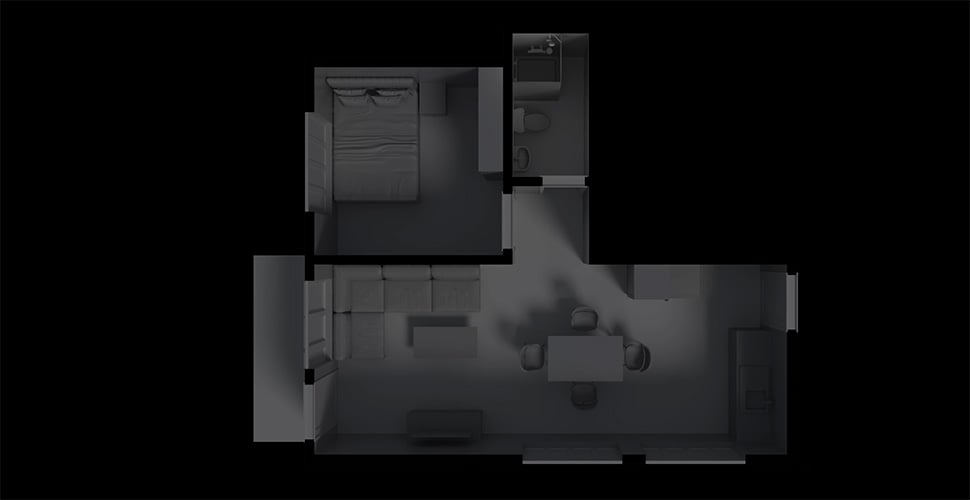
Four configurable contact inputs
Use NC, NO, EOL, 2EOL, 3EOL or the supported roller-shutter connection. Set pulse or bistable operation and measure EOL resistance in the app. Total EOL resistance is 1–15 kΩ in 100 Ω increments.
Two relays and two logic outputs.
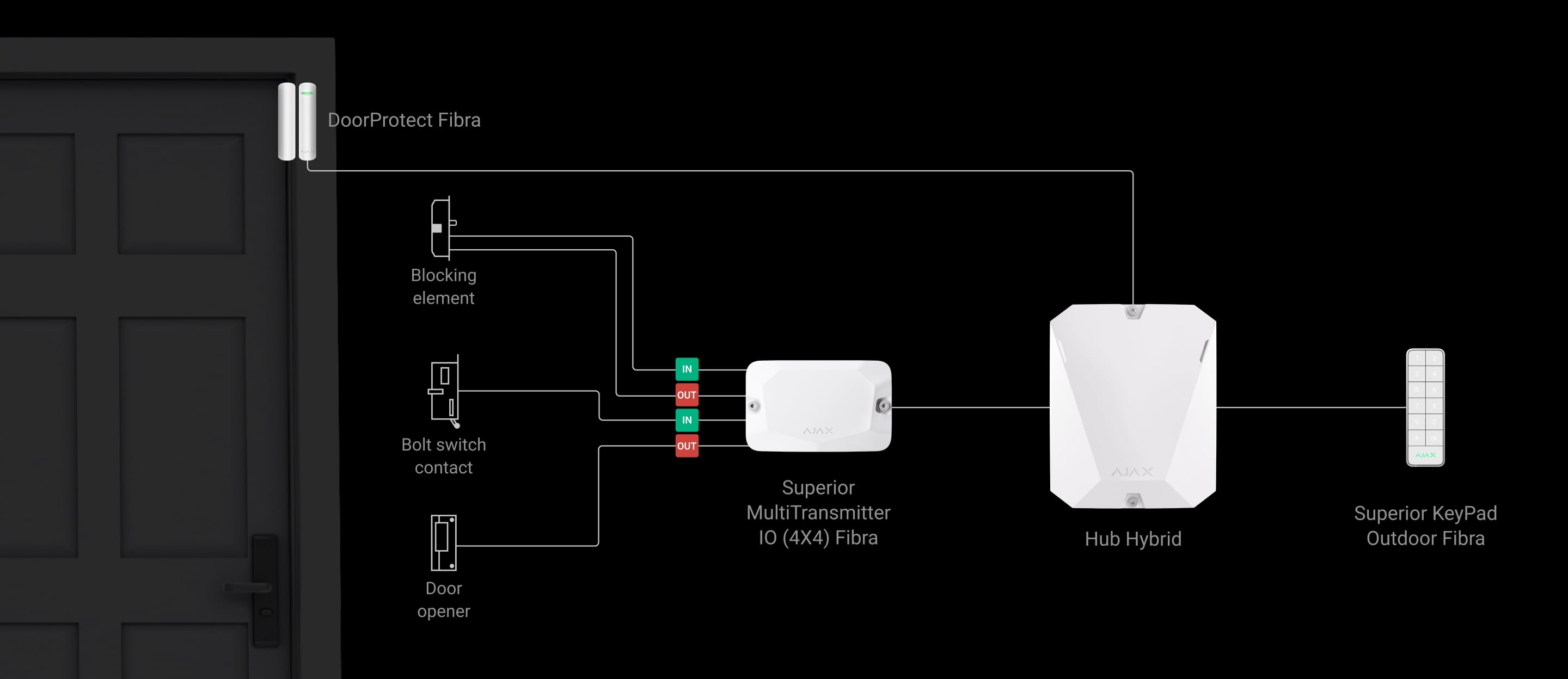
Drive the right interface
The two dry-contact relays switch loads up to 1 A. The two logic outputs handle up to 25 mA each. Use the correct mode for a relay-controlled device, electric lock or blocking element; logic outputs are not four additional power contacts.
Make the message describe the real device.
Name the device, room and event
Select the appropriate event type for each connected device and give it a clear name and room. The configured type determines the notification and monitoring-station event code. A fire or leak event comes from the connected detector; the integration module does not detect that hazard itself.
One line. A defined power budget.
Fibra powers the module
The operating range is 12–28 V DC, with maximum consumption of 330 mA at the nominal 24 V. The module supplies 12 V to connected devices with a total limit of 500 mA. Include lock start-up loads, sensors and voltage drop in the calculation.
Keep configuration and firmware current.
Update through Ajax apps
A compatible hub with OS Malevich 2.28 or later is required. An administrator or authorised PRO can start an available module firmware update in the app. Check the firmware requirements for each advanced setting before relying on it.
One supervised wired connection.
Fibra communication
The four-wire connection carries data between the module and a compatible Ajax hub. Two-way communication, encryption with a dynamic key and device authentication help protect this connection. The module remains part of the hub’s system; it is not a standalone control panel.
Use the current compatibility list and supported firmware. The host’s device capacity and the line power budget still apply.
Plan the data path and cable limits.
Up to 2,000 m on the Fibra line
The stated Fibra reach assumes U/UTP cat.5 cable. It is separate from the shorter cable between the integration module and a third-party device. Check topology, signal strength, load and voltage at the final device; a ring has different limits.
Protection that also watches itself.

Detect changes in the wired connection
Supported EOL connections distinguish specified alarm and fault states, including short circuits or a broken wire. Wire the end-of-line resistors at the device and test each expected condition.

Supervise the connection to the hub
Regular polling lets the hub report a missing module. Event notifications identify the affected device and room so the fault can be investigated.
The 36-second example depends on a 12-second polling interval and three missed packets. Actual fault timing follows the hub settings.
Check the enclosure and tamper circuit
Test the third-party device’s configured tamper circuit. The module’s casing tamper switches or the Case tamper board also supervise opening and removal.
Plan additional electrical protection
A compatible LineProtect module can isolate a damaged section and protect devices between that module and the hub. It is a separate product and needs to be positioned as part of the line design.
Add, configure and test in Ajax PRO.
Find the installed module
Scan the hub’s Fibra lines or add the module by its QR code. Assign a name, room and security group so an event identifies the affected part of the site.
Find the right wired integration module.
Keep suitable wired detectors when moving to Ajax. Compare signal inputs, detector power and whether the module can also control equipment.
Compare wired integration →Every detail, in one place.
Communication
- Fibra communication technology
- Two-way wired transfer of alarms, events and commands, with device supervision and supported remote configuration.
- Line connection
- 4-core cable
- Connection
- to any point of the Fibra line The device can be installed behind the hub or any other device.
- Fibra line length
- up to 2,000 m When the U/UTP cat.5 twisted pair cable is used.
- Encrypted communication
- Encrypted communication between the module and the compatible Ajax hub.
Inputs
- Number of input lines for third-party devices
- 4
- Input terminals
- Z1–Z4 — inputs for connecting third-party wired devices. COM — common inputs for connecting signal contacts of third-party wired devices.
- Type of connection
- NO, NC, EOL, 2EOL, 3EOL, roller shutter With the EOL total resistance from 1 kΩ to 15 kΩ with a 100 Ω increment.
- EOL resistor scanning
- Allows you to measure EOL resistance automatically.
- Operating mode of connected sensors
- Detect alarms Allows receiving alarms from connected third-party devices that detect doors being opened, vibration, glass breakage, gas and water leakage, etc. Switch arming modes (KeyArm) KeyArm allows arming/disarming the system and individual groups or setting up Night mode. Control of blocking element Allows controlling the position of the blocking element pin. Control of bolt lock Allows controlling the position of the lock bolt switch.
- Operating mode
- pulse bistable It can be configured in Ajax apps.
- Length of the wired connection to third-party devices
- up to 400 m For the EOL connection type, with the U/UTP cat.5, 4×2×0.51 mm (24 AWG) cable, copper conductor, or 4×0.22 mm 2 signal cable, copper conductor (cable resistance of 22 Ω per 100 m) if the device is powered by an external power supply. The maximum connection length for devices powered by an integration module depends on cable resistance and the sensor’s current consumption.
Outputs
- Number of output lines for third-party devices
- 4 The device is equipped with 2 logic outputs and 2 relays with dry contact.
- Output terminals
- Relay1, Relay2 — relay outputs for connecting third-party wired devices. Maximum switching current is 1 A. L1, L2 — logic outputs for connecting third-party wired devices with a maximum load capacity of up to 25 mA.
- Output modes
- Relay Allows controlling connected third-party devices (only for relay outputs). Blocking element Allows controlling the blocking element. Electric lock Allows controlling the electric lock.
- Switch state by timer
- If enabled, the connected device automatically switches to the opposite state when the selected Operating time expires.
- Operating time
- from 1 s to 3 min It can be configured for pulse mode in Ajax apps separately for each relay.
Key features
- Automation scenarios
- They can be configured in Ajax apps separately for each relay.
- Relay state stability
- If the feature is enabled, the current state of the relay contacts remains the same even after the power supply from the hub fails.
- Controlling the blocking element position
- The feature allows you to check the device’s operation or forcibly change its position. It is configured in an Ajax app when the Blocking element output mode is selected.
- Unavoidability principle
- Superior MultiTransmitter IO (4X4) Fibra is an all-in-one solution for connecting third-party devices required for automatic door locking/unlocking on arming/disarming according to the unavoidability principle (German: Zwangsläufigkeit).
- Event types
- An Ajax app specifies the event types for wired device inputs. The selected type determines the text of alarm notifications and events of the connected device, as well as event codes transmitted to the CMS. A PRO or a user with admin rights in an Ajax app can configure the type of event.
- Remote firmware update
- When a new firmware is available, an admin or a PRO with rights to configure the system can run the update in Ajax apps.
Sabotage protection
- Tamper alarm
- Notification when the lid is opened or an attempt is made to detach the device from the surface or remove it from the mounting panel. The device has a connector that allows connecting a tamper board to the module. It is available in Case, which is sold separately.
- Protection against spoofing
- device authentication
- Connection loss detection
- after 36 s Detection time depends on the Jeweller/Fibra settings.
- Instant detection of wired connection loss, short circuits, and malfunctions
- when the 2EOL/3EOL connection is used Depends on the connection type.
- Instant detection of short circuits of the power outputs
- After detection, the system stops the power supply and sends a notification to the user.
Power supply
- Fibra line
- 12−28 V⎓, up to 330 mA at a nominal voltage of 24 V⎓ The hub powers the device.
- Power supply of connected wired devices
- 12 V⎓, up to 500 mA Maximum total current consumption by third-party devices at a nominal voltage of 12 V⎓ should not exceed 500 mA.
- Power terminals for input devices
- +12V — 12 V⎓ power supply output for third-party wired sensors. GND — power ground.
- Power terminals for output devices
- +12V — power supply output for third-party electromechanical elements such as electric locks and 12 V⎓ blocking elements. GND — power ground of third-party electromechanical elements.
Board
- Dimensions
- 93 × 55 × 27 mm
- Weight
- 46 g
- Operating temperature range
- from −10 °C to +55 °C
- Operating humidity
- up to 75% non-condensing
What’s in the box
- Superior MultiTransmitter IO (4X4) Fibra
- Quick start guide
For your installation
- Selected as part of an installer-reviewed security or automation project.
- Fibra needs a supported hybrid control panel, checked cable type and topology, termination and a complete power budget. Existing alarm cabling is not automatically suitable.
- For indoor use only. It is recommended to install the module in Ajax Case, which is sold separately and available in several versions.
Product documents.
Find the right protection.
Superior MultiTransmitter Fibra
Check its input, output, power and connection requirements.
Superior MultiTransmitter G3 Jeweller
Check its input, output, power and connection requirements.
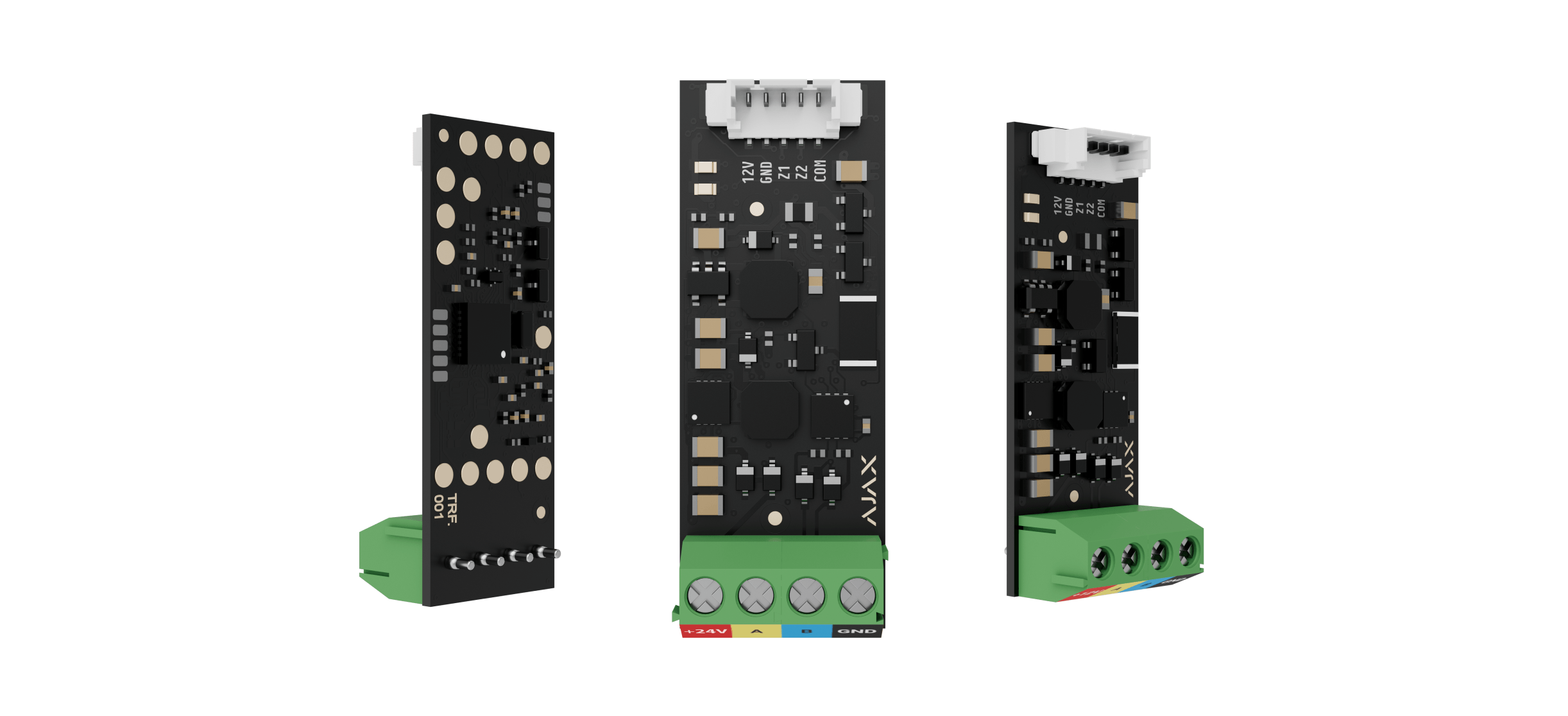
Superior Transmitter Fibra
Check its input, output, power and connection requirements.