Including 21% VAT · delivery terms apply

MAKE IT YOURS

GlandBox.

Wiring accessory for central unit
MAKE IT YOURS

Wiring accessory for central unit

€87.39Includes 21% VAT

Available from supplier

EN54

A separate professionally designed fire system. Select its control panel, detectors and alarm devices together.

Check panel fit →
Colour. Black
Quantity. How many do you need?
1
Check the matching equipment

GlandBox fits EN54 Fire Hub Jeweller. The manual also lists Type4 Fire Hub Jeweller; confirm the exact panel and regional project requirements.

What else needs checking?

This passive accessory has no firmware or direct hub connection. Follow the fitted equipment’s installation instructions.

Check the mounting surface and the operating limits of both the accessory and the fitted equipment.

Indoor IP20 accessory. Cable glands up to 20 mm are purchased separately; preserve the panel’s tamper fixation point.

Required for your setup
  • The specified EN54 Fire Hub or Type4 Fire Hub panel — confirm the exact project
  • Cable glands for the planned cable entries, diameter up to 20 mm
Ajax compatibility reference

Saved together in your project. Choose support after your equipment.

Standards and certifications

* Ajax shows these marks for the GlandBox range. Check the linked documentation for the exact version and market.

Surface wiring that fits the fire panel.

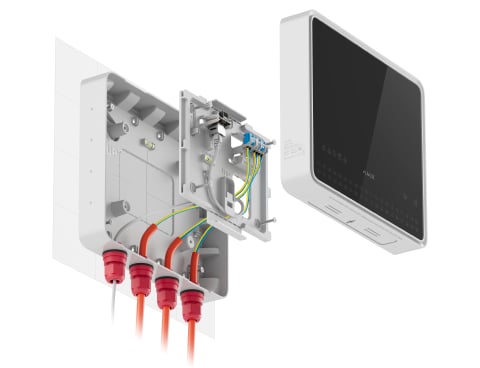
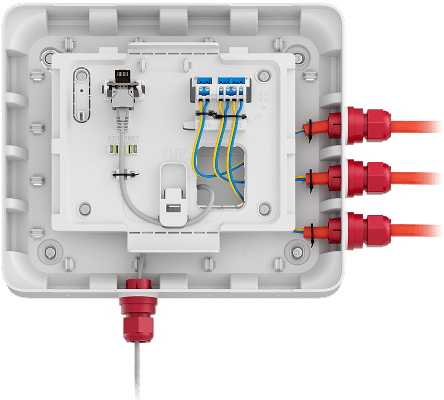
GlandBox creates an organised cable entry behind the supported touchscreen fire control panel. Sixteen possible gland positions, built-in cable fastening points and alignment guides help the installer manage surface wiring while preserving the panel’s removal protection.

Key features. At a glance.
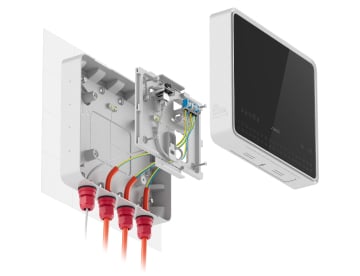
Clean and professional installationClean and professional installation

Clean and professional installation

Effortless cable routing to the CIE
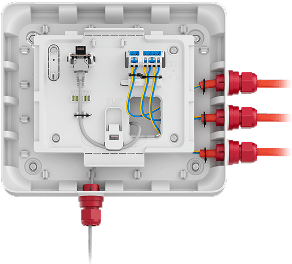
Effortless cable routing to the CIEEffortless cable routing to the CIE

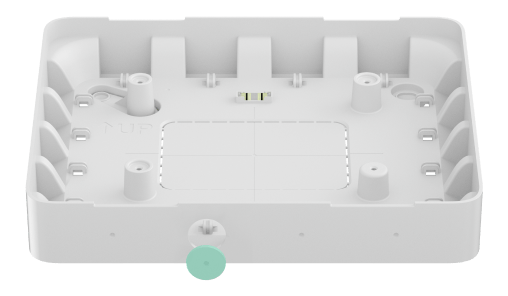
16 places to install cable glands

four on each side of the accessory
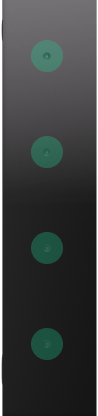
16 places to install cable glands16 places to install cable glands
Support for cable gland diameters of up to 20 mmSupport for cable gland diameters of up to 20 mm

Support for cable gland diameters of up to 20 mm

Fasteners to secure cables together using ties
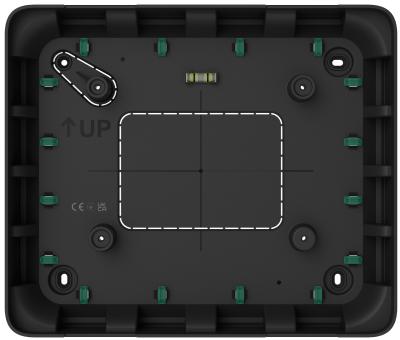
Fasteners to secure cables together using tiesFasteners to secure cables together using ties

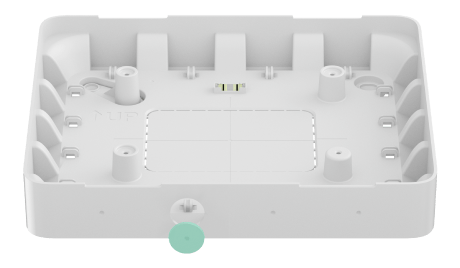
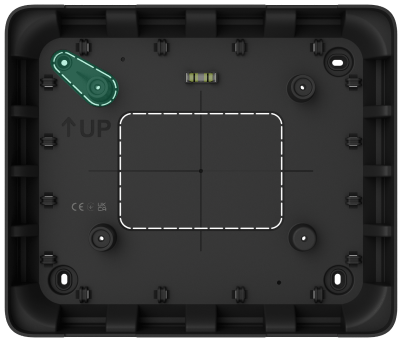
Perforated part for CIE's tamper button

to detect device removal from the surface
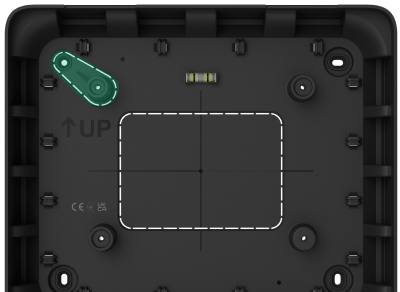
Perforated part for CIE's tamper buttonPerforated part for CIE's tamper button
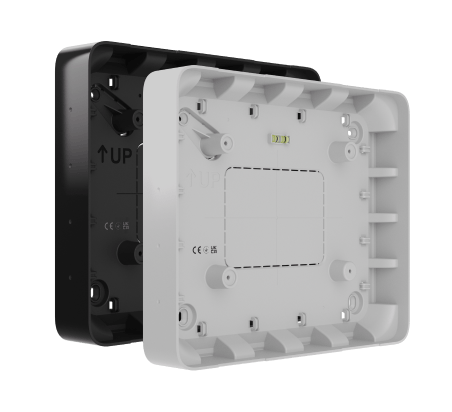
Minimalistic design available in two colorsMinimalistic design available in two colors

Minimalistic design available in two colors

Ajax product information ↗ · GlandBox specifications ↗

Bring the cables in from the side.

For the touchscreen fire control panel

GlandBox provides surface cable entry for EN54 Fire Hub Jeweller. The current manufacturer manual also lists Type4 Fire Hub Jeweller; confirm the exact panel and regional system specification before ordering. The control panel is sold separately.

GlandBox is a mechanical wiring accessory. It has no radio, power supply or alarm processing of its own. System capabilities and certification belong to the specified fire system and its equipment.

A place for every cable.
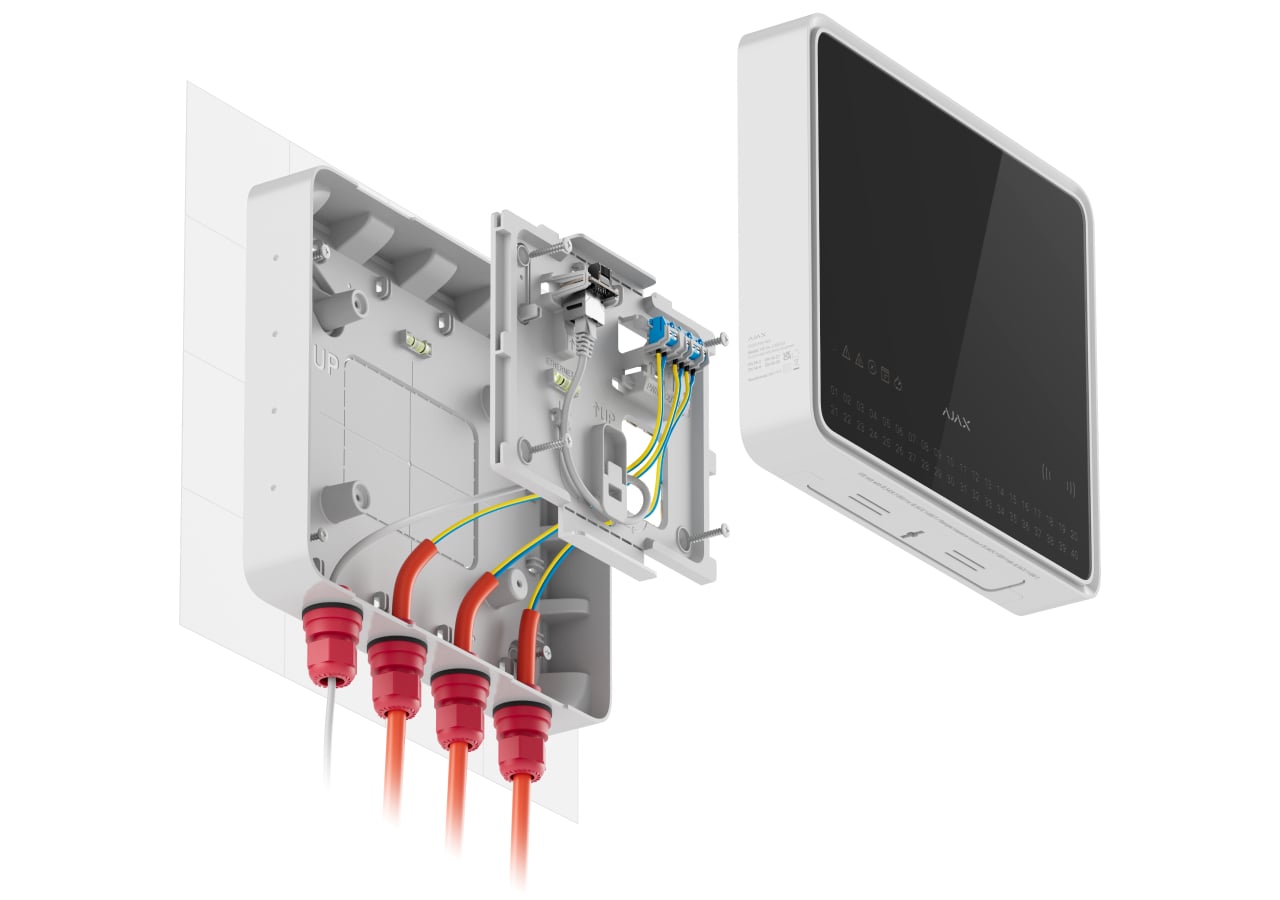
Fast installation process

Mount and align

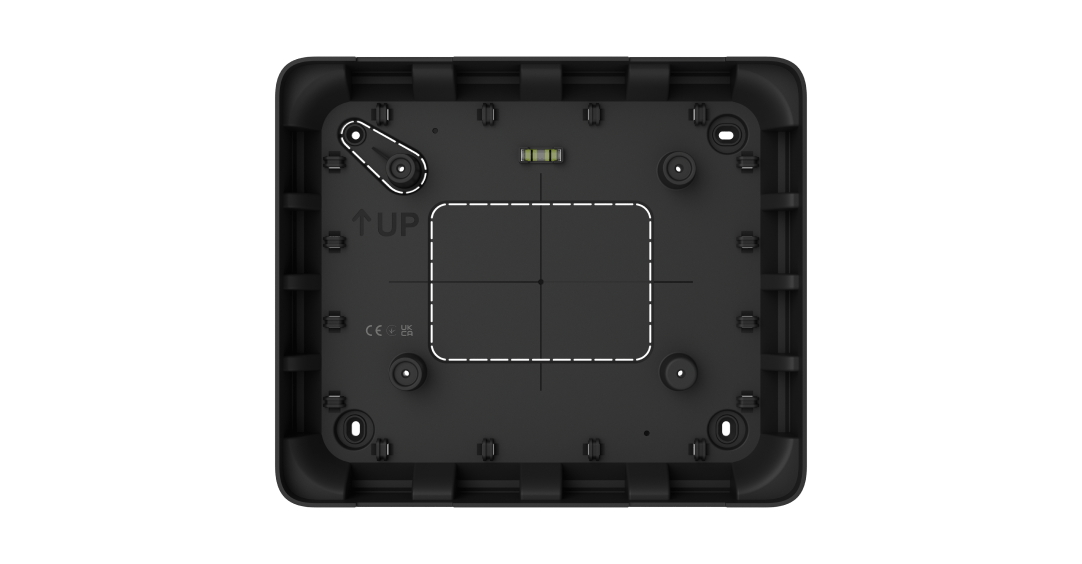
Use the bubble level, UP mark and panel-centre guides to position GlandBox on a vertical surface. Latches support the panel’s SmartBracket before it is secured with the supplied screws.

Use every fixing point, including the tamper fixation point. Keep the tamper breakaway section intact: it lets the control panel’s tamper button report an attempted removal. GlandBox does not add a separate electronic tamper sensor.

Designed for indoor installations.

An IP20 enclosure in two colours

GlandBox measures 263 × 223 × 40 mm and weighs 335 g. Black and white versions match the supported panels. The material has a UL 94 V-0 flammability rating.

Use indoors at −10 to +40 °C and up to 75% non-condensing humidity, also within the control panel’s limits. IP20 does not provide protection against water. The accessory itself requires no maintenance.

Manufacturer’s product information

Find the right panel cable-entry accessory.

Check GlandBox for surface cable entry to the exact fire control panel. Allow for separately supplied cable glands and the complete installation.

Check panel fit →

Every detail, in one place.

Key features
Places to install cable glands
16 For routing cables that are not hidden inside the wall. There are four places on each side.
Cable gland diameter
up to 20 mm Cable glands are not included in the complete set.
Recesses for drilling
The drill bit is fixed in the recess and does not move during drilling. We recommend using a hole saw for plastic with a diameter of up to 20 mm.
Sabotage protection
tamper button The perforated part of GlandBox is used for the tamper button to trigger when the CIE is installed in GlandBox. An Ajax system sends fault notifications if an attempt is made to detach GlandBox from the surface or remove the CIE from the mounting panel.
Cable fasteners
To hold the cables together with ties.
Aids for easy installation
Bubble level; UP key; CIE center marking The bubble level allows for checking the casing inclination angle. The intersection of two lines marks the center of the CIE, and the UP key marks its top.
Product
Dimensions
263 × 223 × 40 mm
Weight
335 g
Operating temperature range
from –10 °C to +40 °C
Operating humidity
up to 75% non-condensing
Flammability rating
UL 94 V-0
Revision
Revision
2
What’s in the box
  • GlandBox
  • Installation kit
  • Quick start guide
For your installation
  • For EN54 Fire Hub Jeweller; the current manual also lists Type4 Fire Hub Jeweller. Confirm the exact panel and regional project requirements.
  • Indoor use only. Cable glands up to 20 mm are supplied separately.

Complete your installation.

Service benefits & conditions

Eligibility, availability and service terms are confirmed with your quote.

  1. Included installation. Applies to eligible wireless equipment purchases with an agreed total from €6,000 including VAT. The proposal confirms the installation scope and local coverage. Configuration, agreed wireless installation, oversight, tests and training are included. Electrical and plumbing work and monitoring subscriptions are separate. G3 and Superior wireless S-line products do not count towards the €6,000 eligible equipment budget and are not covered by the included-installation offer. Their installation is quoted separately. Fibra and cabling are also quoted separately. Only eligible battery-powered wireless devices, ordinary hubs, ReX and wireless kits contribute. Devices requiring additional power or wired connections (including Relay, WallSwitch, LightSwitch, Socket, Outlet, FireProtect 2 AC and integration modules), WaterStop, Hub BP, video and EN54/Type4 equipment do not count. Accessories, delivery and Care fees do not count either. Hub and ReX connection to an existing socket is included; new power supplies, cabling, electrical and plumbing work are arranged separately. Included installation is available at one property in Latvia, Lithuania or Estonia and includes preparation and the visit. Below €6,000 of eligible equipment, it is a paid option at checkout. Your basket shows the complete service price, including VAT; scope and the visit date are agreed before installation.
  2. Free EU delivery. Free equipment delivery within the EU. Stock, dispatch and destination service are confirmed before accepting your order. Where a three-business-day delivery service is confirmed, it runs from dispatch. Split shipments and made-to-order products may follow separate agreed schedules. Delivery agreed as free does not acquire an undisclosed surcharge. Installation is scheduled separately.
  3. Payments, finance and leasing. Monthly payments and leasing with an upgrade option require a separate agreement, subject to finance-provider approval, credit eligibility and country availability. The provider, deposit, APR, fees, total payable, duration, ownership and return or upgrade conditions are explained before any agreement. An enquiry or saved preference does not activate credit.
  4. Personal setup. One scheduled remote first-setup session for eligible equipment purchased from SAFE365. Equipment must be ready for configuration. Session scope, language and availability are confirmed when booked; physical installation and cabling are separate unless included in your project.
  5. Care 24. Included remote support and agreed remote maintenance for the first 24 months for eligible SAFE365 purchases. The start date, support hours, access permissions and covered tasks are confirmed with your order. On-site work, 24/7 alarm monitoring and extended hardware cover are not included unless separately agreed. Statutory rights and the manufacturer's applicable warranty are unaffected.
  6. Local installation. Partner coverage varies by country and postcode. A named partner, the work scope, responsibility and price are confirmed in writing before commitment. Local installation is included only for an eligible agreed package; otherwise it is quoted separately.
  7. Included system preparation. Preparation is included from €3,000 of eligible equipment, including VAT after discounts. The order must include an eligible hub. We configure, label and check the marked wireless devices and provide individual instructions. Below the threshold, preparation is a paid option at checkout; your basket calculates the price. The same equipment eligibility rules as for included installation apply. Service charges do not count towards either threshold.

GOLDNBEE SIA — SAFE365 operator for the Baltics and Northern Europe · Reg. 40103558050 · VAT LV40103558050 · Jaunā Mežaparka iela 36-2, Rīga, LV-1014, Latvia

SAFE365. Ajax equipment, thoughtfully brought together.

Product information and photography on this site come from Ajax Systems. Ajax is a trademark of its owner.

Prices include standard consumer VAT for the selected country. Special tax territories, business orders, delivery, service terms and availability are confirmed with your proposal.

Loading page and saved details…